
If you’re weighing custom healthcare software vs SaaS, you’re not alone. I’ve sat in the same rooms with CTOs, compliance leaders, and ops teams staring at the same trade-offs: speed versus control, subscription versus build cost, “good enough” versus “exactly right.”
And here’s the truth nobody loves to say out loud: there isn’t a universal winner. There’s only the option that fits your workflows, risk tolerance, integration reality, and timeline.
So let’s make this practical. We’ll compare the two approaches the way decision-makers actually decide: costs over time, compliance and auditability, security for PHI, integration depth, and what happens when you need to exit.
Custom healthcare software vs SaaS: quick definition
What SaaS means in healthcare
SaaS is software you subscribe to. You pay monthly or annually, you get updates on the vendor’s schedule, and you typically share the underlying platform with other customers in a multi-tenant setup.
In healthcare, SaaS often shows up as patient engagement platforms, scheduling, telehealth, CRM, billing add-ons, care management tools, and analytics dashboards. You configure it, you don’t rewrite it. That difference matters when your clinic’s “one weird workflow” is actually the thing that keeps revenue moving.
Now, SaaS doesn’t automatically mean “cloud-only” or “less secure.” But it does mean shared responsibility: the vendor secures the platform, and you still own identity, access controls, configuration, and user behavior.
What custom means
Custom healthcare software is built for you. Your team or a development partner designs, builds, and maintains a system tailored to your workflows, data model, and integration needs.
You own the roadmap. You decide what ships and when. And you can choose hosting that matches your requirements: public cloud, private cloud, hybrid, or even on-prem if you have a strong reason.
But let’s not romanticize it. Custom also means you own the mess if you rush architecture, skip threat modeling, or let technical debt pile up. You get control. You also get accountability.
Also Read: Real-Time Healthcare Analytics Integration
Side-by-side comparison
Time-to-value and implementation effort
SaaS usually wins on speed. A well-run SaaS rollout can go live in 4 to 12 weeks for a single site if your workflows are standard and your integrations are light.
But implementation effort is sneaky. I’ve watched “quick” SaaS launches drag to 6 months because the real work was identity, data cleanup, permissions design, training, and integration testing with the EHR.
Custom builds take longer up front. A realistic MVP for a healthcare workflow product is often 12 to 20 weeks if you keep scope tight, reuse proven components, and avoid boiling the ocean.
So ask yourself: do you need value next month, or do you need a system that fits for the next five years?
Upfront vs ongoing cost
This is the classic CapEx versus OpEx debate. SaaS looks cheaper at the start because you’re paying a subscription instead of funding a build. That’s real.
But SaaS costs don’t stay flat. You’ll see per-user fees, per-location fees, feature tier upgrades, API access charges, and sometimes implementation fees that feel like a second invoice (because they are).
Custom has a bigger upfront check. You pay for product design, engineering, QA, security work, and deployment. Then you pay ongoing for maintenance, improvements, and support. The difference is you’re buying an asset, not renting a tool.
Total cost of ownership
If you only compare year-one cost, you’ll bias toward SaaS. So don’t do that. I recommend a simple TCO view at 12, 36, and 60 months.
Here’s a practical way to model it. Build a spreadsheet with line items like these:
- SaaS costs: subscription fees, implementation, premium support, integration fees, additional environments, data storage overages, and annual price increases (I often model 5% to 12% depending on vendor history).
- Custom costs: initial build, cloud hosting, monitoring, on-call support, security tooling, ongoing development capacity, and periodic refactors.
- Shared costs: training, change management, internal admin time, compliance oversight, and integration maintenance.
Now add ROI drivers. Reduced admin time is the big one. If your new workflow saves 10 minutes per patient across 80 patients per day, that’s over 13 hours saved daily. Even if you only capture half of that in reality, it’s still meaningful.
And yes, billing cycle speed matters. I’ve seen small claims process improvements shave 3 to 7 days off cash collection when eligibility checks and documentation workflows are tightened.
Security and data privacy
PHI changes the conversation. You need encryption in transit and at rest, least-privilege access, strong authentication, and audit logs that actually help during an investigation.
SaaS vendors often have mature security programs because they have to. Many can show SOC 2 reports, dedicated security teams, and established incident response playbooks. That’s a plus.
But SaaS also means you’re trusting their architecture choices, their subcontractors, and their release cadence. If you need a specific key management approach, data residency constraints, or custom access policy logic, you may hit a wall fast.
Custom can be extremely secure if you do it right. You can implement your own encryption strategy, integrate with your IAM stack, and enforce least privilege down to fine-grained roles. But you must invest in secure SDLC, code review, dependency scanning, and regular penetration tests. No shortcuts.
Compliance and auditability
HIPAA is table stakes if you’re handling PHI in the US. For SaaS, that usually means signing a BAA and understanding the shared responsibility model: the vendor covers platform controls, and you cover configuration and user access.
For many orgs, SOC 2 Type II is the practical signal that a vendor’s controls are operating over time. ISO 27001 can be relevant too, especially if you’re operating internationally or selling into enterprise buyers.
Custom software doesn’t magically “become compliant” because you built it. You still need policies, access reviews, audit logs, incident response, and documented controls. The win is auditability can be designed into the product from day one, instead of bolted on later.
And don’t forget: auditors love evidence. If you can’t produce logs, change records, and access histories in minutes, you’ll feel it during an audit.
Integrations and interoperability
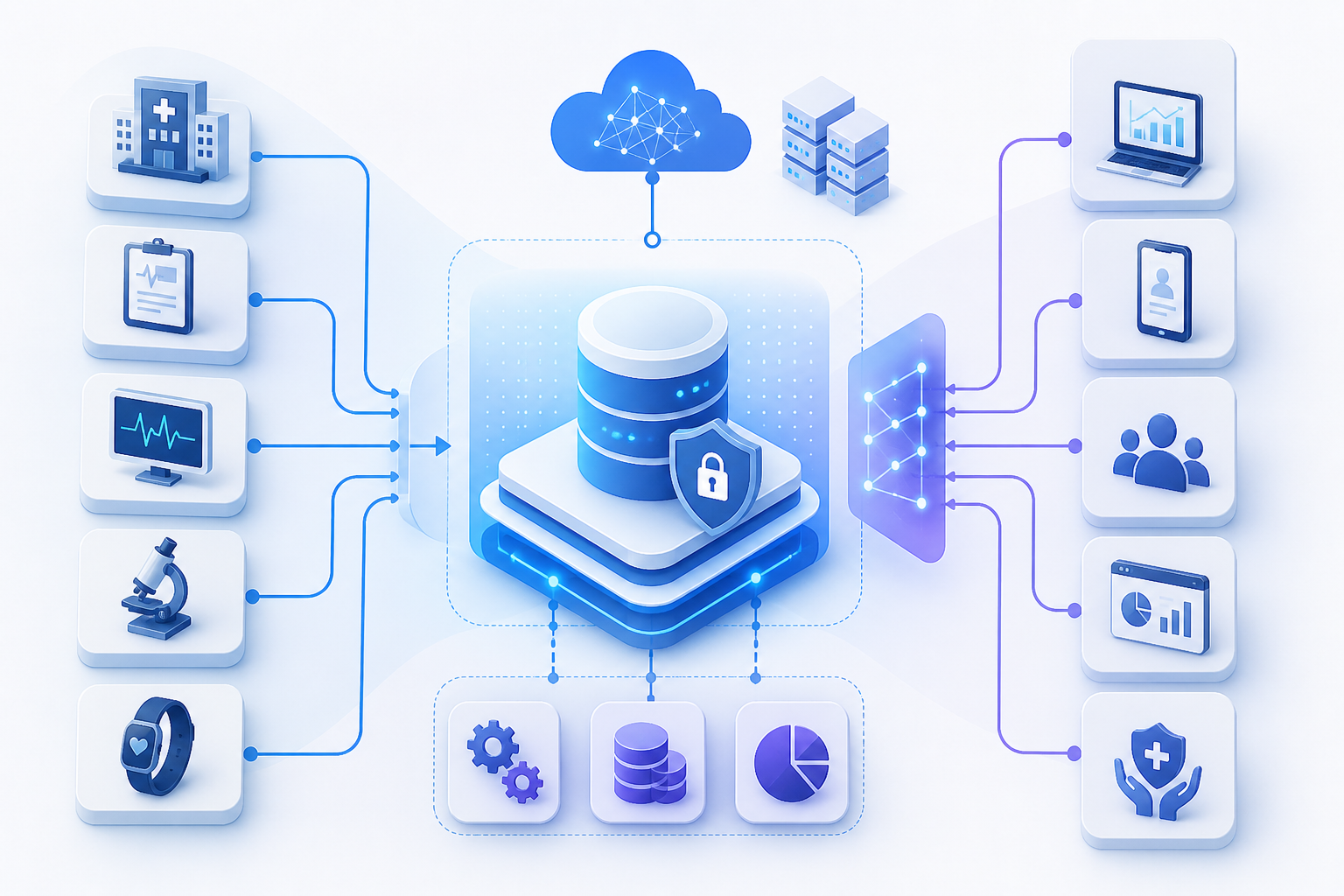
This is where many decisions are actually made. If you must integrate with an EHR or EMR, you’ll run into HL7 feeds, FHIR APIs, interface engines, and a lot of “it depends.”
SaaS integration is often limited to what the vendor supports: a handful of EHRs, specific FHIR resources, maybe SSO via SAML, and some webhooks. If that matches your environment, great.
But if you need deeper interoperability, custom can be the difference between “we kinda sync” and “the workflow truly works.” Think: real-time eligibility, document routing, orders and results, or patient identity matching across systems.
In practice, I see three common patterns:
- API-first: FHIR APIs and modern REST endpoints for near real-time workflows.
- Interface engine: HL7 v2 messages through a middleware layer that handles mapping and retries.
- Hybrid: FHIR where possible, HL7 where necessary, and a data layer that normalizes it all.
SSO matters too. If your SaaS tool can’t fit cleanly into your identity provider, your helpdesk tickets will spike. That’s not theoretical. It’s Tuesday.
Scalability and performance
SaaS platforms can scale quickly, especially for multi-site rollouts. You’re benefiting from infrastructure the vendor has already tuned, monitored, and hardened.
But you may not control performance levers. If you have peak loads at 8:00 AM across 40 clinics, and the vendor has a “shared” architecture, you might be stuck with their prioritization.
Custom systems can scale beautifully, but only if you design for it: caching, queueing, async processing, and a clear performance testing plan. If you don’t, you’ll scale your problems too.
Customization, workflow fit, and user adoption
Workflow fit drives adoption. Adoption drives ROI. That’s the chain.
SaaS is often configurable: fields, rules, templates, maybe low-code automations. But when you hit the edges, you hit them hard. If your clinical operations require a specific exception path, SaaS may force users into workarounds, and workarounds become risk.
Custom lets you match the workflow to reality. That includes the messy parts: incomplete data, patient no-shows, provider preferences, and edge-case billing rules. You can design the UI for the humans doing the work, not the vendor’s generic persona.
But custom also demands change management. You can build the perfect tool and still fail if training is weak or if you don’t involve frontline users early. I’ve seen that movie. It ends badly.
Vendor lock-in, data portability, and exit strategy
Most teams don’t think about exits until they need one. Then it’s chaos.
SaaS lock-in can show up as proprietary data models, limited export tools, API rate limits, or contract clauses that make data extraction expensive and slow. You need clarity on data ownership, export formats, and timelines.
Custom lock-in is different. You’re not locked into a vendor’s platform, but you can be locked into your own architecture choices or a development partner who holds key knowledge. Documentation, internal ownership, and clean handoff plans matter.
Either way, build an exit plan early. Put it in the contract. Make it boring and specific.
When SaaS is the better choice
Standard workflows, limited differentiation
If your needs are common and your advantage isn’t in the software itself, SaaS is often the smart move. Scheduling, basic patient reminders, standard telehealth, and generic CRM workflows are usually not where you want to spend build dollars.
So buy it. Configure it. Move on.
Smaller teams needing predictable costs
If you don’t have product leadership, engineering management, and security capacity, custom can become a burden. SaaS gives you predictable budgeting, fewer hiring dependencies, and usually faster procurement once legal is aligned.
And yes, the subscription can sting later. But for a 20-person ops team, the alternative might be worse: a half-built tool nobody maintains.
Fast rollouts across multiple sites
Multi-site healthcare groups often need consistency. SaaS can help you standardize processes across locations with centralized administration, templated workflows, and reporting.
Now, if each site is truly different, standardization can backfire. But for many networks, it’s the point.
When custom healthcare software wins
Complex clinical and operational workflows
If your workflow has lots of branching logic, exceptions, and role-specific steps, custom starts to shine. Think referral management with multiple handoffs, prior auth workflows, or care coordination across providers and payers.
SaaS can handle “happy path.” Healthcare lives in the unhappy path.
Deep integrations and proprietary data models
If you’re building a differentiated data asset, custom is often the only realistic route. For example, a digital health company combining device data, patient-reported outcomes, and EHR context into a proprietary risk score will quickly outgrow generic SaaS schemas.
And if you need tight coupling to EHR workflows, custom can reduce swivel-chair work. That’s where real savings show up: fewer manual steps, fewer errors, fewer delays.
Higher control over security, hosting, and roadmap
Some organizations need strict control: specific hosting regions, custom key management, dedicated environments, or unique access control models. If that’s you, SaaS may become a negotiation marathon.
Custom lets you design security and compliance requirements into the architecture. You can also prioritize features based on your clinical and business outcomes, not the vendor’s quarterly roadmap.
Decision framework
10-question checklist
- Workflow uniqueness: Are your workflows truly standard, or do exceptions drive daily operations?
- Integration depth: Do you need basic exports, or real-time EHR integration via HL7 and FHIR?
- PHI exposure: How much PHI will the system store, process, or transmit?
- Audit needs: Do you need detailed audit logs and access reviews for compliance and internal governance?
- Timeline: Do you need value in 60 days, or can you invest 4 to 6 months for a better fit?
- Budget shape: Do you prefer predictable OpEx, or are you willing to fund CapEx for long-term control?
- Internal capacity: Do you have product and engineering leadership to own a build?
- Security requirements: Do you need custom encryption, key management, or hosting constraints?
- Change management: Can your org handle training and process change, or do you need minimal disruption?
- Exit plan: If you had to switch in 18 months, how painful would it be?
Answer honestly. Not aspirationally. That’s where good decisions come from.
Scoring matrix template
I like a simple scoring approach: rate each factor from 1 to 5 for importance, then score SaaS and custom from 1 to 5 for fit. Multiply and sum.
Use factors like:
- Implementation speed
- Workflow fit
- Integration requirements
- Security controls
- Compliance evidence and auditability
- 12-month cost
- 36-month cost
- 60-month cost
- Data portability and exit terms
- Roadmap control
But don’t treat the score as gospel. Treat it as a forcing function for the conversation you’ve been avoiding.
Hybrid approach
Buy core SaaS plus build differentiating modules
So many healthcare orgs land here, and honestly, it’s often the best answer. You buy SaaS for commodity functions and build only what makes you different.
Example: use a SaaS scheduling and messaging platform, then build a custom care pathway engine that routes patients based on risk, payer rules, and provider capacity. The SaaS handles the basics. Your custom module drives outcomes.
Another one I like: keep billing in a proven platform, but build a custom pre-visit workflow that reduces eligibility errors and captures structured data upfront. That’s where you cut denials.
Using APIs, middleware, and integration platforms
The hybrid model lives or dies on integration. You’ll likely need middleware or an integration platform to handle mapping, retries, monitoring, and alerting.
APIs are great until they fail at 2:00 AM. Then you need observability, error queues, and a clear owner. Build that in from the start, not after the first incident.
And keep your architecture boring where you can. Healthcare is hard enough.
Procurement and due diligence checklist
SaaS vendor questions
- BAA: Will they sign a HIPAA BAA, and does it clearly define responsibilities and subcontractors?
- Audit reports: Can they provide SOC 2 Type II and penetration test summaries under NDA?
- Uptime SLAs: What’s the SLA, and what are the credits and remedies if they miss it?
- DR and BCP: What are RTO and RPO targets, and how often are they tested?
- Breach history: Have they had incidents, and what changed afterward?
- Data residency: Where is data stored, processed, and backed up?
- Access controls: Do they support SSO, SCIM provisioning, MFA, and granular roles?
- Logging: Do you get audit logs, how long are they retained, and can you export them?
- Exit terms: How do you export data, in what format, and what are the fees and timelines?
But don’t stop at the sales deck. Ask to see real documentation. If they hesitate, that’s information.
Custom build questions
- Secure SDLC: What does the development process include for security, code review, and dependency management?
- Threat modeling: Will you do it early, and will it be updated as scope changes?
- Pen tests: Who performs them, how often, and how are findings tracked to closure?
- Documentation: Will you get architecture diagrams, runbooks, and onboarding docs for internal teams?
- Ownership: Who owns the code, repos, infrastructure configs, and CI pipelines?
- Support model: What’s the on-call plan, and what are response times for P1 incidents?
- Maintenance: How will you handle patching, upgrades, and technical debt over 12 to 24 months?
Now, if a partner says “we’ll figure it out later,” don’t. Later is expensive.
Also Read: Healthcare Data Integration Software: Features, Standards & How to Choose the Right Platform
Example scenarios by organization type
Clinic and ambulatory
Most clinics need speed and simplicity. SaaS often wins for scheduling, reminders, intake forms, and basic reporting, especially if you’re trying to get to a consistent patient experience across 3 to 10 locations.
But if your clinic has a specialized workflow, like infusion scheduling with complex chair utilization and payer rules, custom modules can pay off quickly. I’ve seen clinics reduce scheduling errors and increase capacity just by removing manual handoffs.
50-bed hospital
A 50-bed hospital often lives in integration land. You’ve got an EHR, lab systems, radiology, identity management, and multiple departmental tools that already don’t talk well.
Here, a hybrid approach is usually the sane path: keep proven SaaS where it’s low-risk, and build custom integration and workflow layers where interoperability and auditability matter most.
And don’t underestimate downtime planning. You’ll want clear DR targets, documented procedures, and tested failover. Not “we think it works.” Tested.
Digital health startup
Startups need speed, but they also need differentiation. Early on, SaaS can help you ship faster: authentication, messaging, analytics, even parts of care management.
But as soon as you find product-market fit, you’ll feel the limits. That’s when custom becomes strategic: proprietary data models, patient matching logic, risk scoring pipelines, and deeper EHR integrations.
I usually recommend: launch with SaaS where it’s safe, then replace components intentionally as you scale. Don’t rewrite everything at once. That’s a classic self-own.
Payer, TPA, or care management
Payers and TPAs care about auditability, reporting, and integration with claims and care management systems. SaaS can work for standard case management, but custom often wins when you’re building unique programs, complex authorization logic, or analytics that drive cost outcomes.
Also, data governance is huge here. If you can’t trace who accessed what and why, you’ll have a bad time during audits and partner reviews.
FAQ
Is SaaS always more secure?
No. Some SaaS vendors are excellent. Some are not. Security depends on controls, culture, and execution.
Custom can be very secure too, but only if you invest in secure engineering practices, monitoring, and regular testing. The real question is: who is better positioned to run security every week, not just at launch?
How long does custom healthcare software take?
For an MVP, I often see 3 to 5 months when scope is tight and decision-making is fast. A broader platform build can take 6 to 12 months, especially with multiple integrations, role-based access complexity, and compliance evidence requirements.
But timelines explode when requirements are vague. Clarity is speed.
Can we migrate from SaaS to custom later?
Yes, but plan it upfront. Make sure your SaaS contract includes clear export rights, reasonable fees, and data formats you can actually use.
And keep your architecture modular. If you wrap SaaS with APIs and middleware, you can swap components later without ripping out your whole workflow.
Choosing between custom healthcare software vs SaaS is really about trade-offs you’re willing to live with. SaaS can get you live fast, with predictable costs and mature vendor controls, especially for standard workflows. Custom can give you workflow fit, deeper interoperability, and tighter control over security, hosting, and roadmap, especially when software is part of your differentiation.
So what should you do next? Build a 12, 36, and 60-month TCO model. Run the 10-question checklist with your clinical, ops, IT, and compliance stakeholders. And get serious about exit strategy and due diligence early, not after you’ve signed.
But if you want my honest bias from the field: healthcare teams win most often with a hybrid approach. Buy what’s commodity. Build what’s mission-critical. Keep it auditable. Keep it secure. And keep it usable for the people doing the work.