Introduction: Why BPA Is Transforming Operations
When you hear Business Process Automation you probably picture robots clicking through screens. In reality it’s a broader shift-software, AI, and no code tools working together to replace repetitive chores, free up talent, and power digital transformation in ways most companies only dreamed of a few years ago.
Imagine shaving three days off a month long invoice approval cycle. That’s the kind of win that gets CEOs sitting up straight. And the good news? You don’t need a PhD in coding to get there.
Business Process Automation vs RPA vs Workflow Automation
Definitions and core differences
At its core, Business Process Automation (BPA) is the end to end orchestration of tasks across systems, people, and data. Think of a digital nervous system that senses an event, triggers a rule, and routes the result without human hands.
Robotic Process Automation (RPA), on the other hand, is a narrower beast. It mimics a human user’s clicks and keystrokes-perfect for screen scraping legacy apps but limited when you need to make real decisions.
And then there’s workflow automation, which focuses on routing and approvals inside a single process. It’s great for a purchase order journey, yet it usually lacks the deep integration and analytics that BPA delivers.
When to use each technology
- RPA: High volume, rule based tasks stuck in legacy GUIs-think data entry from PDFs.
- Workflow automation: Simple hand offs, such as leave requests or expense approvals.
- BPA: Anything that spans multiple systems, requires decision logic, or benefits from real time data-like order to cash or patient intake.
In practice you’ll often layer them: RPA bots feed data into a BPA engine that then triggers a workflow.
Key Benefits of BPA for Enterprises
Cost reduction and productivity gains
According to a 2024 survey, companies that rolled out BPA saw an average 22% reduction in operating costs within the first year. That’s not just a line item saving; it’s time that employees can redirect toward strategic projects.
One finance team I consulted cut manual reconciliations from 15 hours a week to under 2 hours by automating ledger matching. The result? Faster close cycles and happier auditors.
Improved compliance and accuracy
When every step is logged in a central system, you get an immutable audit trail. Errors that once slipped through because a clerk missed a field are now flagged automatically.
Take a pharma manufacturer that needed to track batch records across three ERP modules. BPA stitched the data together, enforced validation rules, and kept regulators smiling.
Scalability and agility
Because BPA platforms are built on APIs, adding a new data source is a matter of configuration, not code. That means you can scale a pilot that handles 500 invoices to 5,000 in weeks, not months.
And when market conditions shift-say a new tax rule appears-your automation logic can be updated centrally, keeping the whole organization in sync.
Top BPA Tools and Software in 2026
UiPath, Automation Anywhere, Blue Prism, Pipefy, Microsoft Power Automate
These five platforms dominate the market, each with a flavor that suits different needs.
- UiPath: Strong RPA foundation, now adds AI driven decision models for end to end BPA.
- Automation Anywhere: Cloud first, excellent for large enterprises with complex integration requirements.
- Blue Prism: Enterprise grade security, favoured by banking and insurance firms.
- Pipefy: No code focus, ideal for marketing and HR teams that want quick wins.
- Microsoft Power Automate: Deeply embedded in Office 365, perfect for businesses already on the Microsoft stack.
Criteria for selecting the right tool
Don’t pick a platform because it’s popular. Match it to your reality.
- AI capabilities: Can the tool surface predictive insights or just follow static rules?
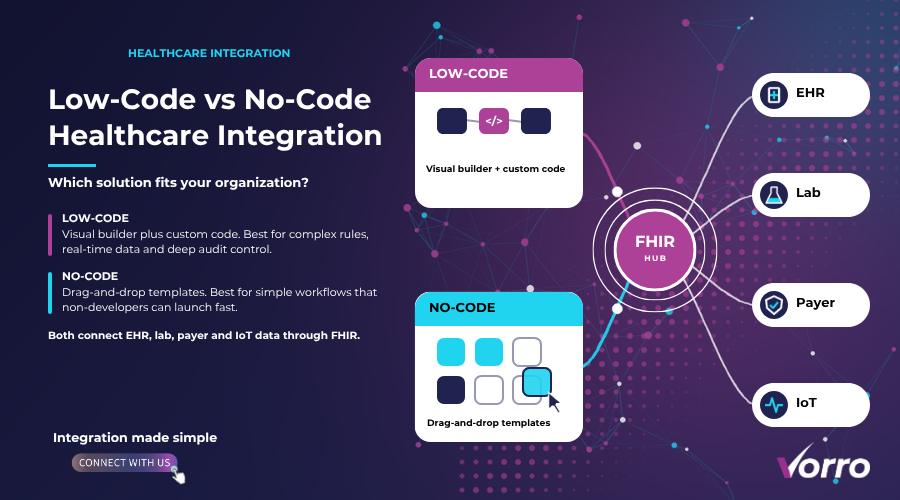
- No code vs code: Your team’s skill set will dictate whether you need drag and drop builders or a developer centric SDK.
- Integration depth: Does it speak natively to your ERP, CRM, and health info systems?
- Pricing model: Per bot, per transaction, or subscription? Run a cost benefit model before you sign.
Healthcare Workflow Automation: Special Use Cases
Patient intake and scheduling
In a midsize clinic I worked with, a simple BPA flow captured online forms, verified insurance eligibility via an API, and booked appointments-all without a receptionist touching a keyboard.
The wait time dropped from 12 minutes to under 2, and no show rates fell 8% after automated reminder texts.
Claims processing and billing
Claims are notorious for bottlenecks. By automating data extraction from PDFs, cross checking with payer policies, and auto populating billing codes, a regional hospital shaved $1.2 million off its annual administrative costs.
No code healthcare automation
Regulators demand exact documentation. No code platforms let compliance officers design rule based checks-like flagging any procedure lacking a signed consent-without writing a line of code.
How to Get Started with Process Automation
Process assessment and mapping
The first step isn’t buying software; it’s understanding the current state. Gather a cross functional team, chart the as is € flow, and identify choke points. I like to ask: which step takes the longest, and which frequently triggers errors?
Choosing a pilot project
Pick a process that is high volume, low complexity, and measurable. Invoice validation, employee onboarding, or lab test ordering are prime candidates.
Set clear metrics-cycle time, error rate, cost per transaction-so you can prove value fast.
Implementation roadmap and change management
- Design: Translate the to be € flow into the BPM tool, using drag and drop if you’re on a no code platform.
- Build: Configure integrations, embed AI models where decisions are needed, and set up exception handling.
- Test: Run a sandbox with real data, watch for edge cases, and involve end users early.
- Deploy: Go live with a small user group, monitor KPIs, and iterate.
- Scale: Once you hit the target ROI, replicate the pattern in adjacent processes.
And remember: people resist change more than technology. Communicate the why, € provide training, and celebrate quick wins to win hearts.
Real world case studies
Numbers speak louder than buzzwords.
- Finance: A multinational bank automated loan origination, cutting processing time from 7 days to 1 day and generating $8 million in incremental revenue in the first six months.
- Manufacturing: A car parts maker linked inventory management with supplier portals via BPA, reducing stock outs by 30% and saving $1.5 million in carrying costs.
Both stories share a common thread: they began with a modest pilot, measured success, and then amplified the impact across the enterprise.
Measuring BPA success: KPIs and ROI
Without hard data you’ll never convince the CFO.
| KPI | What to Track | Typical Benchmark |
|---|---|---|
| Cycle Time Reduction | Time from start to finish of the automated process | 20 40% drop |
| Error Rate | Number of manual corrections per month | 70% decrease |
| Cost per Transaction | Total cost divided by processed units | 30% lower |
| Compliance Score | Audit findings before vs after automation | Zero critical findings |
To calculate ROI, tally the annual cost savings (labor, error remediation, compliance penalties) and divide by the total investment (software licenses, implementation hours). A 2 year payback period is common for well chosen pilots.
Future trends: AI driven decision automation and low code evolution
Automation isn’t standing still. In 2026 AI models are being embedded directly into BPA engines, allowing the system to triage claims, predict inventory shortages, or even recommend pricing adjustments without a human in the loop.
Low code platforms are moving toward auto code €-they generate the underlying scripts as you configure the flow, meaning business analysts can truly own the end to end solution.
What does that mean for you? The barrier to entry keeps dropping, and the strategic advantage of rapid, data driven process redesign grows exponentially.
FAQs
What is the difference between BPA and RPA?
BPA encompasses the full lifecycle of a process, integrating multiple systems and decision logic. RPA mimics a user’s actions on a single application and is usually a component inside a broader BPA strategy.
How long does a typical BPA project take?
From assessment to rollout, a focused pilot can be delivered in 8 12 weeks. Scaling to enterprise wide deployment often stretches to 6 12 months, depending on complexity.
Can BPA be done with no code platforms?
Absolutely. Tools like Pipefy and Microsoft Power Automate let you build end to end flows with drag and drop, making it feasible for non technical teams to launch automation quickly.
What ROI can be expected?
Most organizations report a 20 30% reduction in operating costs and a 2 3× increase in productivity within the first year. Exact numbers depend on volume, complexity, and the quality of the initial process mapping.
Wrapping it up
Business Process Automation is more than a tech trend; it’s a practical lever that can shave days off cycles, cut costs, and keep you compliant. By understanding where BPA sits next to RPA and workflow automation, picking the right tool, and following a disciplined rollout, you’ll see measurable gains fast.
Remember to track the right KPIs, celebrate early wins, and keep an eye on emerging AI driven capabilities. The future belongs to organizations that turn repetitive work into a strategic asset-so start automating today.