Introduction
When you hear cloud healthcare integration you probably picture massive servers humming somewhere you can’t see. In reality it’s a set of tools that let hospitals, labs and apps talk to each other without the headache of manual file swaps. You’ll find yourself weighing cloud vs on?prem healthcare choices, wondering about HIPAA, and hunting for the best price?point. I’ve walked through dozens of migrations, so let’s cut the jargon and get straight to what matters.
The Two Hosting Models Explained
Cloud?Based Integration Engine
Think of a cloud?based integration engine as a hosted integration engine that lives on a provider’s infrastructure. You pay a subscription, spin up a new connector in minutes, and the vendor handles patches, scalability and the underlying hardware. Google Cloud Healthcare API, MuleSoft and InterSystems Health Connect are the big players, each offering pre?built FHIR and HL7 adapters.
And because it’s elastic, you can process a surge of imaging studies during a flu season without buying new racks. The key trade?off? You rely on the provider’s security model and need a solid cloud healthcare integration deployment plan.
On?Premise Integration Engine
On?premise integration engines sit in your data center, managed by your IT crew. You own the hardware, the OS and the upgrade schedule. This model feels safe for organizations with legacy EHRs that simply won’t talk to the cloud. An on?premise integration engine can be tuned for ultra?low latency, which matters in operating rooms where seconds count.
But you’re also shouldering CapEx, staffing and the dreaded upgrade backlog. If your team is stretched thin, those hidden costs can balloon faster than a patient surge.
Security and Compliance Considerations
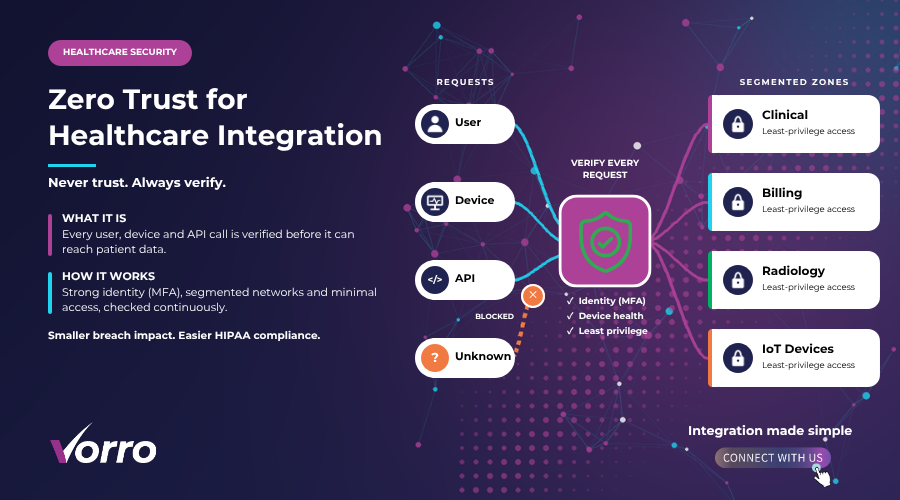
Regulators don’t give a hoot whether you’re in the cloud or on a shelf. HIPAA, HITECH and GDPR still apply, and you’ll need to prove encryption at rest, strict access controls and immutable audit trails.
HIPAA HITECH GDPR
All major cloud providers now sign Business Associate Agreements, so a cloud?based solution can be fully HIPAA?compliant. Still, you must configure role?based access and enable logging that satisfies a 6?year retention rule.
Data Encryption Access Controls Audit Trails
Encryption should be end?to?end, not just “TLS on the wire”. Look for services that let you manage your own keys (BYOK). Access controls need to be granular – a lab tech shouldn’t see cardiology notes. And audit logs must be tamper?proof; think immutable storage or blockchain?style append?only records.
Cost and Maintenance Differences
Money talks, especially when board members ask for ROI. The cost picture splits neatly between subscription?based spend and traditional CapEx.
Subscription vs CapEx
With a hosted integration engine you pay monthly per connector, per transaction or per API call. A small clinic might spend $2,500 a year; a regional health system could hit $250,000. On?premise you front?load hardware – $150,000 for a robust server farm – then add annual maintenance of 15?20%.
Staffing Updates Scalability
On?premise teams must patch operating systems, upgrade middleware, and troubleshoot hardware failures. In the cloud, the provider rolls out patches automatically. If you need to double capacity for a research trial, you click a button and the platform scales instantly. No need to hire a specialist just to spin up more VMs.
| Aspect | Cloud?Based | On?Premise |
|---|---|---|
| Initial Investment | $0?$10K (setup) | $150K?$500K (hardware) |
| Ongoing Cost | $2K?$250K/yr (subscription) | $30K?$80K/yr (maintenance) |
| Scalability | Instant, on?demand | Requires new hardware |
| Upgrade Burden | Provider?handled | Internal team |
How to Decide
Choosing between cloud and on?premise isn’t a gut feeling; it’s a calculated move. Below is a decision matrix that helped my clients avoid costly missteps.
Decision Matrix
- Organization size: Small clinics (<100 providers) usually benefit from a hosted integration engine.
- Regulatory risk: If you handle highly sensitive data (genomics, clinical trials) an on?premise integration engine may give you tighter control.
- Budget: Limited CapEx? Go subscription. Plenty of cash for hardware? Consider on?prem.
- IT maturity: Teams with 5+ integration specialists can manage on?prem; otherwise, cloud eases the load.
Hybrid Approach Options
Now, many organizations are opting for a hybrid model: core patient records stay on?premise while analytics and population health run in the cloud. You can run a hosted integration engine for new APIs and keep an on?premise integration engine for legacy HL7 feeds. This way you get the best of both worlds without a full?scale migration.
Future Trends
What’s next after you’ve got your integration platform up and running? AI?driven interoperability. Imagine an ML model that flags mismatched patient IDs in real time, or predicts data bottlenecks before they happen.
Edge?cloud synergy is also gaining steam. Wearables stream vitals to an edge node, which then pushes normalized FHIR resources to the cloud for analytics. The edge handles latency?critical alerts; the cloud crunches the data for population health dashboards.
Real?World Case Studies
Let’s look at three hospitals that took the plunge.
- MetroHealth System: Migrated 70% of its integration workload to a hosted integration engine in 12 months. Reported a 35% reduction in interface errors and saved $1.2?M in hardware costs.
- River Valley Clinic: Adopted a hybrid approach. Kept the billing engine on?premise but moved imaging metadata to the cloud. Saw a 20% faster turnaround for radiology reports.
- Northshore University Hospital: Leveraged AI in its cloud platform to automatically map legacy HL7 messages to FHIR. Cut manual mapping effort from 200?hours to under 20?hours per quarter.
Hybrid Integration Strategies
When you blend cloud and on?premise, governance becomes crucial. Set clear data?ownership rules: patient identifiers stay behind the firewall, while de?identified analytics roam free in the cloud. Use a central API gateway to route traffic based on latency needs and compliance flags.
And don’t forget monitoring. A unified dashboard that shows response times for both environments helps you spot a slow on?prem link before clinicians notice.
Benefits of Cloud Scalability and Analytics
Beyond cost, the cloud gives you near?infinite storage for imaging, genomics and research data. Combine that with serverless compute and you can run real?time predictive models on millions of records without provisioning servers yourself.
Patient experience improves, too. Faster data exchange means appointments start on time, test results show up in the portal instantly, and telehealth sessions stay glitch?free.
Basic Security and Compliance Checklist
- Confirm Business Associate Agreement is signed.
- Enable encryption at rest and in transit.
- Implement role?based access and least?privilege principles.
- Activate immutable audit logging for 6?years.
- Run quarterly penetration tests on both cloud and on?premise components.
Performance Monitoring & Governance
Whether you choose a hosted integration engine or an on?premise integration engine, you need alerts for latency spikes, message failures and security breaches. Tools like Prometheus, Grafana or the vendor’s native console can feed data into a central ops center.
Governance policies should dictate who can create connectors, who can change schemas, and how change?control is documented. A simple workflow in ServiceNow or Jira can keep the whole process auditable.
Impact on Patient Experience and Clinical Workflows
When integration works, clinicians spend less time hunting for data and more time with patients. A cardiology unit that receives real?time ECG uploads via a cloud integration platform can start treatment minutes after the test, not hours.
Patients also notice the difference: portal labs show up the same day, medication reconciliations are accurate, and appointment reminders arrive on the right channel.
Choosing the Right Approach
So where does that leave you? If your organization is small, budget?tight, and already uses SaaS EHRs, go for a hosted integration engine. If you have massive legacy systems, strict latency needs, or a highly regulated research wing, keep an on?premise integration engine for those pieces and layer cloud services on top.
Remember: the goal isn’t to pick a side, but to build a seamless healthcare integration deployment that serves patients, clinicians and compliance officers alike.
Frequently Asked Questions
What is the difference between cloud and on?premise healthcare integration?
Cloud integration runs on a provider’s infrastructure and usually comes as a subscription, while on?premise integration lives in your own data center and requires upfront capital and ongoing maintenance.
Is cloud integration HIPAA?compliant?
Yes, as long as you sign a Business Associate Agreement, enable encryption, enforce access controls and keep audit logs. Most major vendors have HIPAA?ready offerings.
How quickly can a healthcare organization migrate to the cloud?
Typically 3?6?months for a phased approach: assess, pilot, migrate critical interfaces, then expand. Larger systems may need 12?months, especially if you’re moving legacy HL7 feeds.
What hidden costs should I watch for?
Data egress fees, extra connector licenses, staff training and compliance audit expenses often pop up after the initial subscription is signed.
Can I run a hybrid integration model?
Absolutely. Many hospitals keep the core billing engine on?premise while moving analytics, patient portals and new API connections to the cloud.
In the end, the right integration strategy aligns technology with your clinical goals, budget reality and regulatory landscape. Whether you land on a cloud?based integration engine, stick with an on?premise integration engine, or blend both, the focus stays the same: faster, safer data flow that puts patients first.