Introduction What Is a Data Pipeline
When you hear data pipeline architecture you probably picture a tangled mess of servers and scripts. In reality it’s a clean, repeatable flow that turns raw bits into actionable insights. Companies that master this flow can shave weeks off reporting cycles and unlock new revenue streams.
Think of it as a factory line: raw material (data) arrives, gets cleaned, transformed, stored, and finally shipped to the customers € dashboards, ML models, or downstream services. Below is a high level diagram that maps that journey from ingestion to consumption.
Core Components of a Data Pipeline Architecture
Data Ingestion
Ingestion is the front door. Whether you pull from an API, a sensor, or a log bucket, you need a connector that can handle spikes without choking. Tools like Kafka or Amazon Kinesis give you back pressure control, which is priceless during flash sales.
Data Processing
Processing splits into two camps: batch and streaming. Batch jobs read massive files once a day, run heavy joins, and push the results to a warehouse. Streaming jobs, on the other hand, crunch events as they happen think fraud alerts that fire in seconds.
Data Storage and Warehousing
Once transformed, data needs a home. For analytical workloads, columnar stores like Snowflake or BigQuery shine. For raw, immutable logs, object storage (S3, GCS) is cheap and durable. Pick the right store for each use case and you’ll avoid costly migrations later.
Orchestration and Monitoring
Orchestration is the brain that tells every piece when to wake up. Airflow, Dagster, or Azure Data Factory let you define dependencies, retries, and SLAs. Monitoring adds the eyes Grafana dashboards or Datadog alerts catch failures before they snowball.
Batch vs Real-Time Data Pipeline Design
When to Use Batch
If your reports tolerate a 24 hour lag, batch is simpler and cheaper. Retail inventory reconciliation, monthly finance close, or offline model training all fit nicely into nightly jobs.
Real Time Streaming Fundamentals
Real time pipelines need low latency, exactly once guarantees, and horizontal scaling. Kafka Streams, Flink, or Spark Structured Streaming provide those guarantees. A telecom operator, for example, uses a real time pipeline to detect dropped calls within milliseconds.
Hybrid Approaches
Many enterprises blend the two. They stream click events for immediate personalization, then batch aggregate those events nightly for long term trend analysis. This hybrid model lets you balance cost and immediacy.
Data Pipeline Tools Compared
| Category | Tool | Key Strength | Typical Use |
|---|---|---|---|
| Open source | Apache Airflow | Rich DAG authoring | Complex batch orchestration |
| Open source | Kafka | Scalable streaming | Event driven pipelines |
| Open source | Spark | Unified batch & streaming | Big data pipeline process |
| Cloud Managed | AWS Data Pipeline | Native AWS integration | Hybrid ETL on AWS |
| Cloud Managed | Google Cloud Dataflow | Auto scaling pipelines | Real time data pipeline on GCP |
| Cloud Managed | Azure Data Factory | Visual authoring | Cross cloud ETL jobs |
| Emerging | Dagster | Asset centric modeling | Data governance focus |
| Emerging | Striim | Instant data integration | Low latency analytics |
Choosing a tool isn’t about best € it’s about fit. If you live in AWS, the managed services save you time. If you crave open source freedom, combine Airflow with Spark and Kafka.
Healthcare Data Pipeline Architecture
Compliance and Regulations
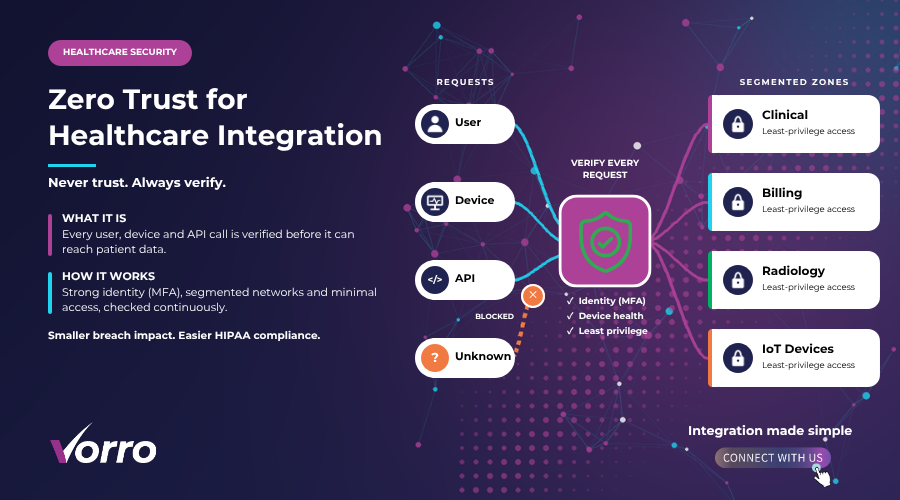
Healthcare pipelines must obey HIPAA and GDPR. That means encryption at rest and in motion, audit logs for every transformation, and strict access controls. A mis configured S3 bucket can cost a hospital millions in fines.
Data Security and Encryption
End to end TLS, field level encryption, and tokenization keep patient identifiers safe. Tools like AWS KMS or Google Cloud KMS plug directly into your ingestion layer, so you never handle plaintext.
Integration with EMR/EHR Systems
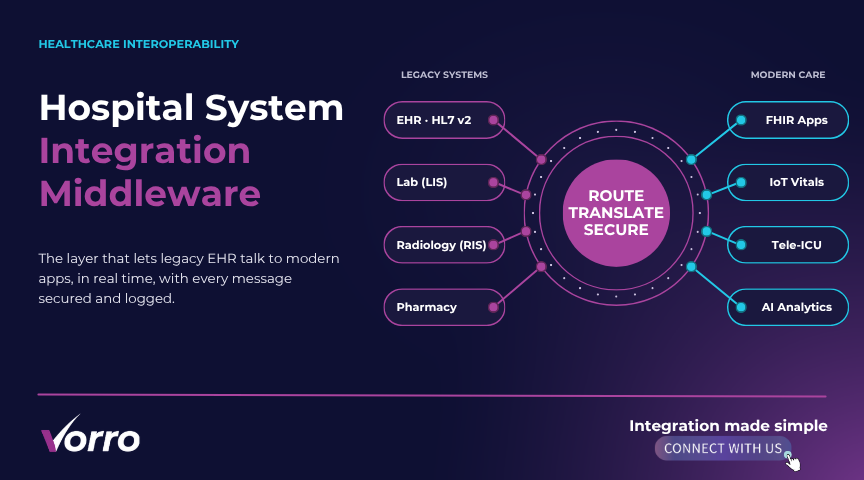
Most hospitals run Epic or Cerner. You’ll need HL7 or FHIR adapters to pull clinical data. Once inside the pipeline, you can enrich it with wearable device streams for a 24/7 monitoring view.
Real Time Alerts for Patient Monitoring
Imagine a ICU where vitals are streamed live to a dashboard. A spike in heart rate triggers an alert within seconds, allowing nurses to intervene before a code blue. That’s a real time data pipeline saving lives.
Scaling Your Data Pipeline for Enterprise Use
Horizontal Scaling Patterns
Scale out, not up. Partition your Kafka topics by patient ID or region, then spin up more consumer instances as traffic grows. This pattern keeps latency low even when you double event volume.
Partitioning and Sharding
Sharding a data warehouse table by month or geography lets you run queries on a fraction of the data. Snowflake’s automatic micro partitioning does the heavy lifting, but you still need a sensible key.
Cost Effective Cloud Resources
Spot instances for batch Spark jobs can slash compute costs by 70%. For streaming, use reserved capacity during business hours and burst with on demand nodes at night.
Monitoring and Auto Healing
Set up health checks that restart a failed Airflow worker automatically. Pair that with alerting on lag metrics (e.g., Kafka consumer lag > 5 seconds) and you’ll have a self repairing pipeline.
Data Governance and Security in Pipelines
Governance isn’t an after thought; it’s baked into architecture. Use a catalog like DataHub or Amundsen to track lineage from source to destination. Role based access control (RBAC) ensures only authorized analysts see PHI.
Data masking at the transformation stage satisfies audit requests without exposing raw columns. And don’t forget retention policies delete logs after 90 days to stay compliant.
Cost Optimization Strategies for Scalable Pipelines
First, right size your compute. Monitor CPU utilization; if a Spark executor hovers at 20 % for hours, downsize it. Second, leverage data lifecycle tiers move cold data to Glacier or Nearline.
Third, schedule batch jobs during off peak windows to take advantage of lower cloud pricing. Fourth, adopt serverless options like AWS Lambda for lightweight ETL chores; you only pay for execution time.
Common Pitfalls and Troubleshooting Guide
Schema Drift
When a source adds a new column, downstream jobs can break. Use schema evolution aware formats like Avro or Parquet and enable ignore unknown fields € in your processing logic.
Back Pressure and Bottlenecks
If a Kafka consumer lags, downstream systems feel the pain. Tune your consumer parallelism, increase partition count, and monitor lag metrics daily.
Data Quality Gaps
Missing values or duplicates slip through without validation. Insert lightweight checks (row count, null percentages) at every stage and route anomalies to a dead letter queue.
Orchestration Failures
A misconfigured Airflow DAG can cause a cascade of retries. Use max_active_runs=1 € for critical pipelines and set clear timeout policies.
FAQs
What distinguishes a data pipeline from an ETL job?
A pipeline is the end to end system that moves data continuously, while an ETL job is often a one off batch process. Pipelines combine ingestion, processing, storage, and orchestration into a single flow.
How to ensure data quality throughout the pipeline?
Embed validation steps after each transformation, use profiling tools like Great Expectations, and surface failures in a dashboard so the team can act fast.
Which architecture suits small vs large organizations?
Startups can get away with a simple serverless stack Lambda + S3 + Athena. Enterprises need a modular design with separate ingestion, streaming, and warehousing layers to support multiple business units.
Can I mix on prem and cloud components?
Absolutely. A hybrid pipeline might pull data from an on prem Oracle DB via a VPN, then stream it to a cloud Kafka cluster for downstream analytics.
What are common pitfalls and how to avoid them?
Schema drift, back pressure, and unchecked costs top the list. Adopt schema aware formats, monitor lag, and regularly review cloud spend to keep the pipeline healthy.
Building a robust data pipeline architecture isn’t a one time project; it’s an evolving discipline. Start with clear business goals, pick tools that match your scale, embed governance early, and keep an eye on cost. By doing so, you’ll turn raw data into real time insight, stay compliant in regulated spaces like healthcare, and future proof your analytics engine for the challenges of 2024 and beyond.